
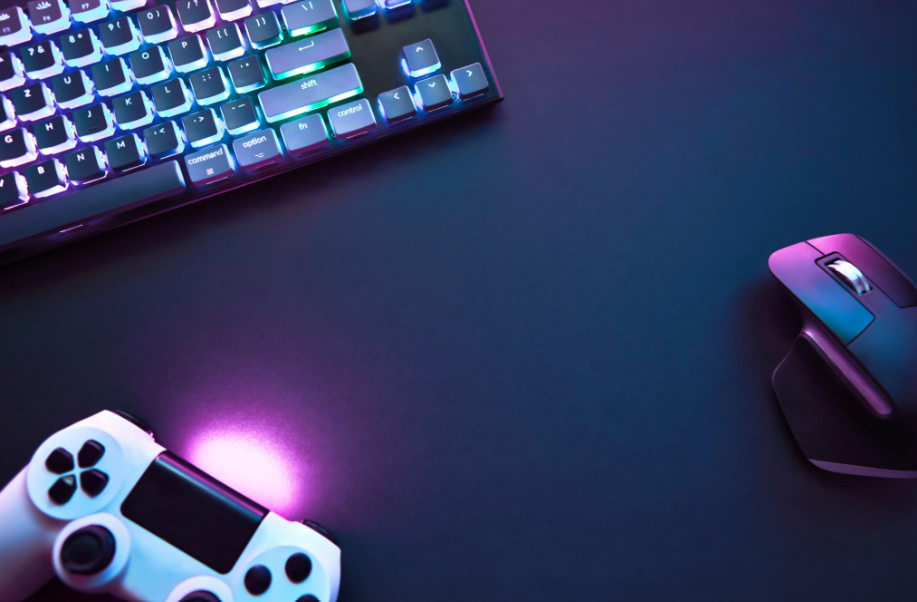
Controller vs. Keyboard and Mouse: Which Is Better for Gaming?
One of the biggest debates in gaming is whether a controller or a keyboard and mouse offers the better experience. PC gamers often prefer the precision of a mouse, while many console players enjoy the comfort and simplicity of a controller. But is one option actually better, or does the answer depend on the game?
The truth is that both input methods have clear strengths and weaknesses. A mouse can offer precise aiming in many shooting games, while a controller provides analog movement that feels natural in racing games, platformers, and many action adventures. Comfort, familiarity, game support, and personal preference also matter.
In this guide, we compare controllers and keyboard-and-mouse setups across aiming, movement, comfort, competitive gaming, and different game genres. By the end, you will have a clearer idea of which option suits your play style.
Controller vs. Keyboard and Mouse: What’s the Difference?
A controller typically uses two analog sticks, directional buttons, face buttons, triggers, and shoulder buttons. Analog sticks can detect different degrees of movement, allowing players to control movement speed and direction smoothly.
A keyboard and mouse use separate devices for input. The keyboard provides individual keys for movement, actions, shortcuts, and menus, while the mouse controls aiming and pointing through hand movement.
These differences affect how players interact with games.
| Feature | Controller | Keyboard and Mouse |
|---|---|---|
| Aiming in many FPS games | Depends on stick control and game assistance | Precise mouse movement |
| Analog movement | Built in through analog sticks | Usually digital movement keys |
| Number of available inputs | Limited buttons and combinations | Many keys and shortcuts |
| Racing games | Excellent analog steering and triggers | Depends on the game and setup |
| Strategy games | Can work well in supported titles | Often convenient for menus and commands |
| Portability | Usually easy to carry | Requires a keyboard and mouse |
| Compatibility | Depends on game and device | Depends on game and device |
| Comfort | Familiar handheld position | Flexible desk-based setup |
Neither option wins every category. The better choice depends on the game, the player’s experience, and how the controls are implemented.
1. Which Is Better for FPS Games?
First-person shooters are one of the most common reasons players compare controllers with keyboard and mouse.
In games such as competitive shooters, aiming precision and response consistency can make a difference. However, the exact advantage depends on the game, its mechanics, and the player’s skill.
Why Keyboard and Mouse Can Be Better for Aiming
A mouse lets players move their aim by physically moving their hand. With a suitable sensitivity setting and enough space, this can make small adjustments and fast target tracking feel natural.
Potential advantages include:
- Fine control over aim.
- Quick turns when using suitable sensitivity settings.
- Familiar aiming mechanics for many PC players.
- Flexible sensitivity and button configurations.
- Convenient access to additional commands through the keyboard.
These strengths can be particularly useful in competitive shooters where precise aiming and rapid target acquisition are important.
However, a mouse does not automatically make someone a better player. Aim control still requires practice, suitable settings, and a game that supports the input method.
Why Controllers Can Still Be Competitive
Controllers use analog sticks, which require players to move the stick within a limited physical range. This can make very precise aiming more challenging for some players, especially without practice.
On the other hand, certain shooters include aim-assist systems for supported controller inputs. These systems vary significantly by game and can help controller users track targets or keep their aim aligned in specific circumstances.
Aim assist does not work identically across all games, and its availability and strength depend on the game’s design and settings.
Verdict: Keyboard and mouse is often a strong choice for shooters that emphasize precise mouse aiming. A controller can still be competitive in games designed around it, especially when the game includes appropriate controller support.
2. Which Is Better for Racing Games?
Racing games are one of the clearest examples of where a controller can be an excellent choice.
Analog sticks allow players to steer through a range of movement rather than relying only on the full-left and full-right inputs of a keyboard. Analog triggers can also provide variable throttle and braking in games that support them.
This can make it easier to control a car smoothly through corners.
A controller is particularly convenient for:
- Arcade racing games.
- Open-world driving games.
- Racing games played casually from a sofa.
- Titles that use analog steering and trigger pressure.
A keyboard can still work well, especially in arcade racers designed around digital input. However, steering and throttle control may feel less gradual.
For players who want a more dedicated racing experience, a compatible racing wheel and pedals can offer another option, although they cost more and require additional space.
Verdict: A controller is an excellent starting point for most players who enjoy racing games. A wheel can be worth considering for enthusiasts who want a more specialized setup.
3. Which Is Better for Action-Adventure Games?
Action-adventure games combine movement, exploration, combat, platforming, and interaction with the environment. Both input methods can work well, depending on the title.
A controller can feel natural when a game uses analog movement, camera control, and several actions mapped to nearby buttons. It can also make playing from a couch or television more comfortable.
Keyboard and mouse can be equally effective in games with flexible key bindings, precise camera control, or interfaces designed for mouse input.
The choice may also depend on the game’s original design. Some titles were primarily built around console controllers, while others provide extensive keyboard customization.
If you play a game that supports both methods, try each one during exploration and combat. A control scheme that feels comfortable for moving around may not be your favorite during difficult encounters.
Verdict: There is no universal winner. Choose the input method that makes movement, camera control, and combat feel most natural in your preferred game.
4. Which Is Better for Platformers?
Platformers often require precise jumps, consistent movement, and quick changes of direction.
A controller’s directional pad or analog stick can provide comfortable movement, while its buttons make jumping and other actions easy to reach. This is one reason controllers are popular for many traditional platformers.
Keyboard controls can also be excellent. Some players prefer the clear separation between movement keys and action keys, particularly in games designed specifically for keyboard input.
For precision platformers, the quality of the controls and the player’s familiarity with them often matter more than the device itself.
Verdict: A controller is a natural fit for many platformers, but keyboard input can be just as effective when the game supports it well.
5. Which Is Better for Strategy and Simulation Games?
Strategy and simulation games often involve selecting units, managing resources, opening menus, and interacting with detailed interfaces.
A keyboard and mouse can make these tasks convenient because the mouse can select individual items while the keyboard provides shortcuts for frequently used commands.
This is especially helpful in many real-time strategy games, city builders, management simulations, and complex interfaces.
Controllers can still work well in titles designed for console play. Developers may simplify menus, create radial selection systems, or adapt commands to suit a smaller number of buttons.
Verdict: Keyboard and mouse is often the more convenient option for strategy games with complex interfaces. A controller remains a good choice for games specifically optimized for it.
6. Is a Controller More Comfortable Than a Keyboard and Mouse?
Comfort depends on the person, the equipment, and how long they play.
A controller allows players to hold the device in their hands and sit away from a desk. This can be convenient for console gaming, television setups, and relaxed sessions.
Keyboard and mouse offer a different kind of flexibility. Players can adjust the height and position of their keyboard, mouse, monitor, and chair. A well-arranged desk setup can support comfortable gaming for extended sessions.
Neither input method is automatically more comfortable for everyone.
To improve comfort, consider:
- Keeping your shoulders relaxed.
- Avoiding awkward wrist angles.
- Choosing a suitable chair and desk height.
- Taking regular breaks during long sessions.
- Adjusting sensitivity and button placement.
- Using equipment that fits your hands and setup.
If either method causes persistent discomfort, stop and reassess your setup rather than forcing yourself to continue.
Verdict: The most comfortable option is the one that suits your body, environment, and gaming habits.
7. Which Is Better for Competitive Gaming?
Competitive gaming is not determined by input device alone. Game knowledge, practice, decision-making, communication, consistency, and hardware performance all matter.
Keyboard and mouse can provide advantages in titles that rely heavily on precise mouse aiming or fast menu interaction. Controllers can be effective in games designed around analog movement or where controller-specific mechanics play an important role.
Some games also separate players by input type, while others allow cross-play between controller and mouse users. Rules and matchmaking systems differ by title.
Before choosing your competitive setup, check:
- Which input methods the game supports.
- Whether aim assist is available and how it works.
- Whether cross-play affects matchmaking.
- Which control settings experienced players use.
- Whether your preferred input feels consistent during matches.
Do not assume that buying a particular device will instantly improve your ranking. A comfortable, familiar setup that you practice with regularly can be more useful than constantly changing equipment.
Verdict: Choose the input method that fits the game’s mechanics and lets you perform consistently.
8. Can You Use a Controller on a PC?
Yes. Many modern PC games support controllers, although compatibility varies by device and game.
Common options include supported Xbox controllers, PlayStation controllers, and compatible third-party models. Depending on the controller and computer, you may be able to connect through USB, Bluetooth, or a dedicated wireless adapter.
Before purchasing a controller for PC gaming, check:
- Whether the controller is compatible with your operating system.
- Whether your PC supports its connection method.
- Whether your favorite games recognize it.
- Whether additional software or configuration is needed.
- Whether wireless functionality requires a separate adapter.
Some games automatically recognize supported controllers, while others require adjustments in the game’s settings or launcher.
If your controller connects to Windows but does not work in a specific game, check that game’s controller support and input configuration before assuming the device is defective.
9. Can You Use a Keyboard and Mouse on a Console?
Some consoles and games support keyboard-and-mouse input, but support is not universal.
A keyboard and mouse may work in certain games or for specific console functions, while other games accept only controllers. Even when the console recognizes both devices, a particular game may not support them.
Before buying accessories for console gaming, verify compatibility for your exact console and the games you play.
Also consider your setup. Keyboard and mouse are usually easiest to use on a stable surface with enough room for mouse movement. A lap or sofa setup may be less convenient than a desk.
If you primarily play games that support keyboard and mouse well, this can be a useful alternative. If most of your games are designed around controllers, a controller may be simpler.
10. Which Is Cheaper: Controller or Keyboard and Mouse?
The cost depends on the equipment you already own and the quality of the devices you choose.
If you already have a console controller, using it on a compatible PC may be the least expensive option. If you own a gaming PC with a keyboard and mouse, you may not need to purchase anything to get started.
A basic keyboard and mouse can be inexpensive, but gaming-focused models vary widely in price. Controllers also range from affordable third-party options to premium models with additional features.
Consider these costs:
- The initial purchase price.
- Compatibility with your devices.
- The need for a wireless adapter.
- Replacement cables or batteries.
- Comfort and durability.
- Any additional accessories you actually need.
You do not need expensive equipment to enjoy games. Start with a compatible input method and upgrade only when you can identify a meaningful benefit.
11. Can You Switch Between Controller and Keyboard and Mouse?
Absolutely. Many PC gamers use both input methods depending on the game.
For example, you might prefer a controller for racing games and action adventures but switch to keyboard and mouse for competitive shooters or strategy games.
Some titles allow you to change input methods at any time, while others may behave differently when a new device is connected. Check the game’s settings if inputs stop responding or prompts do not update correctly.
Using both methods can also help you discover which one feels better for different types of gameplay.
There is no need to commit to a single input method across every game you own.
Frequently Asked Questions
Is a controller better than a keyboard and mouse?
Neither is universally better. Keyboard and mouse often work well for precise aiming and complex interfaces, while controllers are excellent for racing games, many platformers, and relaxed play.
Do professional gamers use controllers or keyboard and mouse?
Both are used in competitive gaming. The preferred input method depends on the game, competition rules, and the mechanics involved.
Is aiming easier with a mouse?
Many players find mouse aiming easier to control precisely because the mouse allows direct hand movement. However, practice, sensitivity settings, and the game’s design also affect performance.
Are controllers better for racing games?
Controllers often provide convenient analog steering and trigger control, making them an excellent choice for many racing games. Dedicated racing wheels are another option for players who want a more specialized setup.
Can I play PC games with a PS5 controller?
Many PC games support the PS5 DualSense controller, but compatibility and available features vary. Some games support basic inputs, while others may support additional controller features.
Is keyboard and mouse better for FPS games?
It is often a strong choice for games centered on precise mouse aiming. However, controller performance depends on the game’s design, settings, and controller support.
Should I buy a controller for my gaming PC?
If you enjoy games that feel natural with analog controls, a compatible controller can be a useful addition. If you mainly play genres suited to keyboard and mouse, you may not need one.
Final Verdict: Controller vs. Keyboard and Mouse
So, which is better: a controller or a keyboard and mouse?
For many FPS games and strategy titles, keyboard and mouse offer convenient aiming and precise interface control. For racing games, many platformers, and certain action adventures, a controller provides natural analog movement and a comfortable way to play.
But these are general patterns, not strict rules. Game design, compatibility, personal preference, and practice can matter more than the input device itself.
If you play several genres, using both options can give you the flexibility to choose what works best for each game. And if you prefer one method, there is no reason to change just because another player uses something different.
The best gaming input is the one that fits your games, feels comfortable, and helps you enjoy playing.